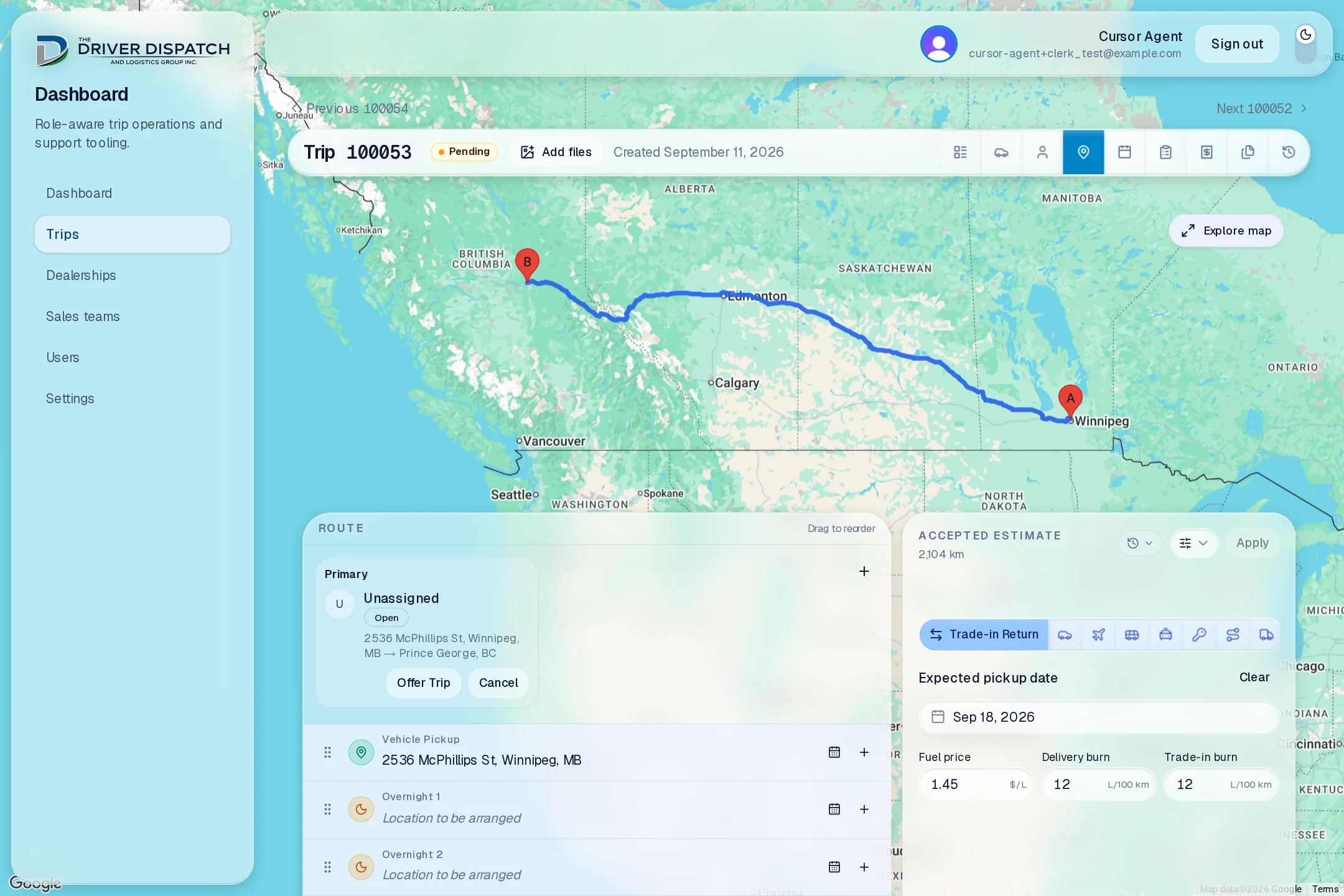
Coordinating a delivery, from the first request to the final receipt.
I knew the work from delivering vehicles across Canada: arranging a pickup, getting the right paperwork signed, collecting receipts, and making sure dispatch received everything afterward. I built the portal end to end, from the data model and backend to the interface, integrations, and deployment.
The aim is to give dealerships, dispatchers, and drivers a shared record of the trip, with the information each person needs at the point they need it.
The work between the messages
A request might arrive by phone, SMS, voicemail, or email. Dispatch worked out a price, asked drivers about availability, agreed on a pickup time, and arranged hotels or flights. Each conversation carried another part of the plan.
On the road, the driver took inspection photos, kept fuel receipts, collected customer records and ID scans, and checked that the required paperwork was fully signed. The delivery was only part of the journey: expenses kept accumulating on the way home.
At the end, photos and document scans went back by email. Dispatch matched them to trip numbers, sorted them into Google Drive, and tallied expenses by hand to prepare the invoice. A typo in an email subject or a text buried under the day’s dispatcher messages could make a missing item surprisingly hard to find.
From request to invoice preparation
Request & estimate
BeforeReconstruct the request from calls, texts, voicemails, and email. Work out the route and price separately.
With the portalRecord the delivery request, route, vehicle, dealership, and estimate together under one trip.
Find a driver
BeforeAsk drivers individually, follow up, and keep track of who can take the delivery.
With the portalQueue driver offers. If a driver declines, the next queued driver receives the offer; acceptance fills the assignment.
Arrange the journey
BeforeCoordinate pickup times, book hotels and flights, and forward the details to the driver.
With the portalKeep pickup and travel appointments on the trip. Import booking confirmations into reviewed appointment and expense drafts.
Complete the delivery
BeforeKeep inspection photos, signed paperwork, customer records, ID scans, and receipts across the phone and physical documents.
With the portalUpload evidence against the trip’s requirements. Dispatch can see saved photos and receipts while the driver is still on the road.
Return & reconcile
BeforeKeep return-journey receipts, email the whole collection, sort files into Drive, and add expenses up by hand.
With the portalContinue adding receipts to the same trip. Review originals, category totals, taxes, driver pay, and reimbursements together for invoice preparation.
Assign the work without losing the plan
Dispatch can offer an open assignment to a queue of drivers rather than manage a separate chain of availability messages. A decline advances the queue; an acceptance records who is taking that assignment. Supporting drivers, such as a chase driver providing a return ride, have their own assignments.
The route, estimate, and appointments remain attached to the trip as that plan changes. Dealership agents, drivers, and dispatchers see the information their roles need.
Collect the evidence while the work happens
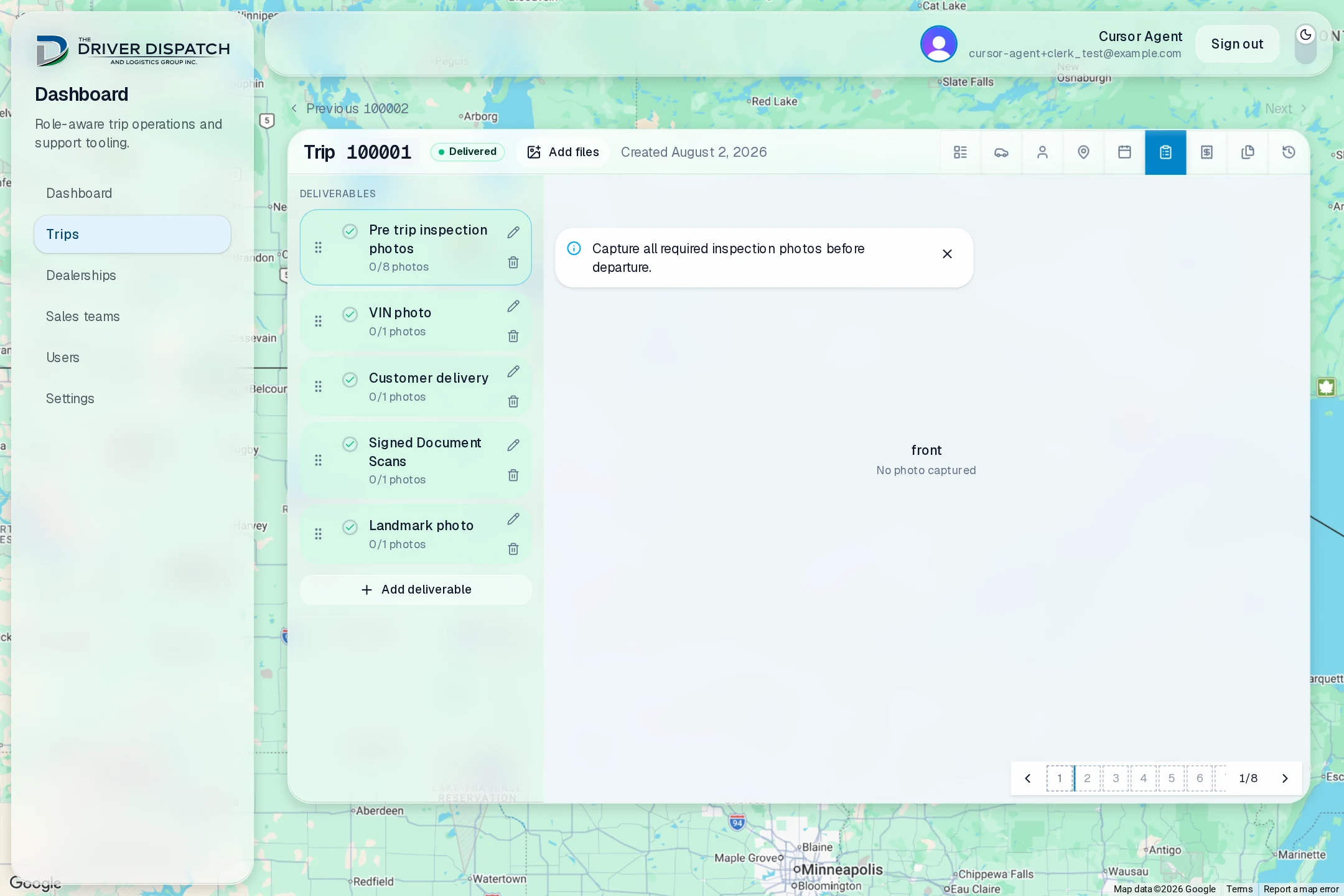
Drivers can capture inspection photos and submit document scans against specific requirements on their assigned trip. Saved uploads appear in dispatch’s live view, so checking the paperwork does not have to wait for an email after the driver gets home.
The checklist gives inspection angles, VIN photos, customer delivery records, and signed document scans an explicit place. Dispatch can see what has been submitted and follow up on what is missing.
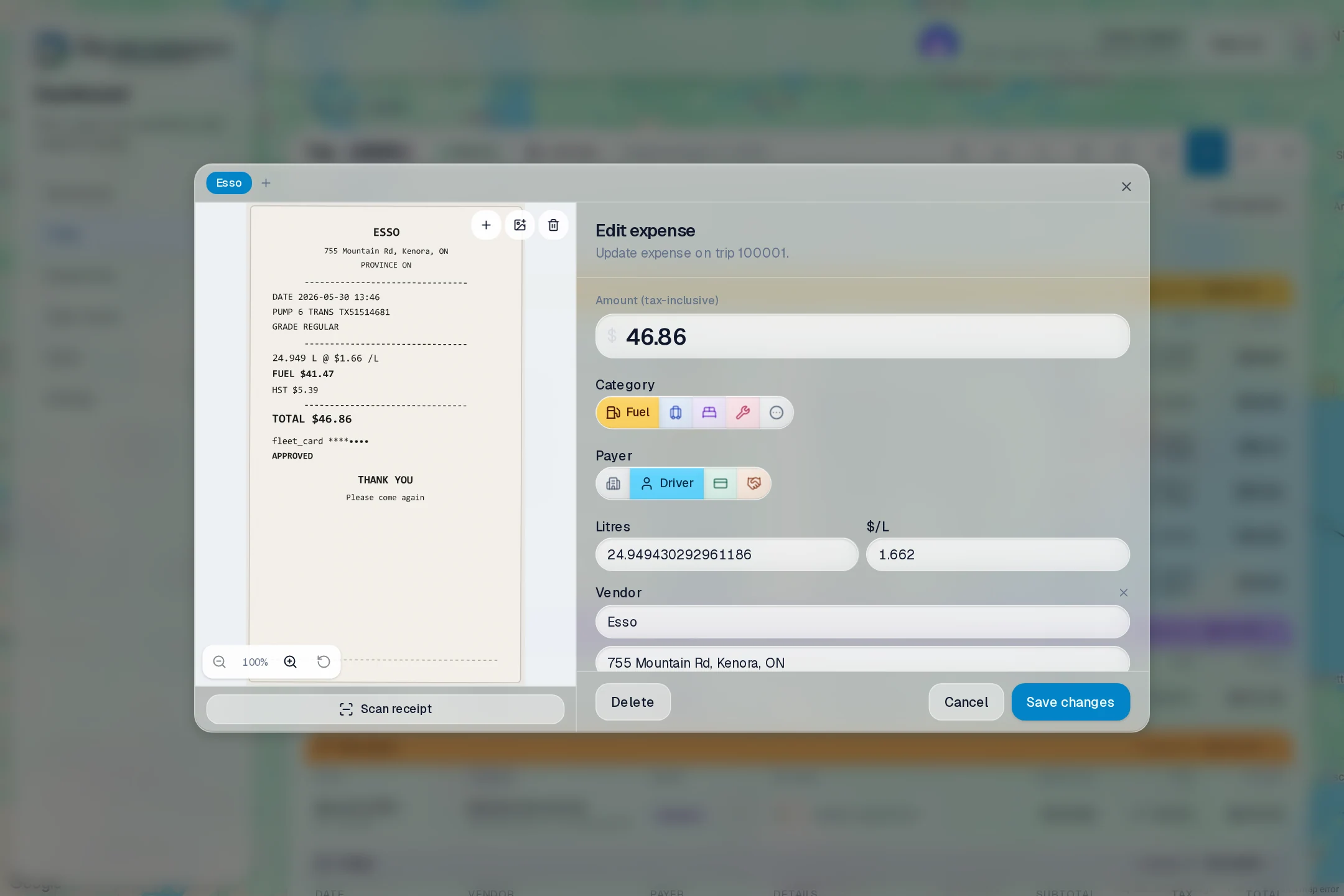
A receipt belongs to the trip, not an email thread
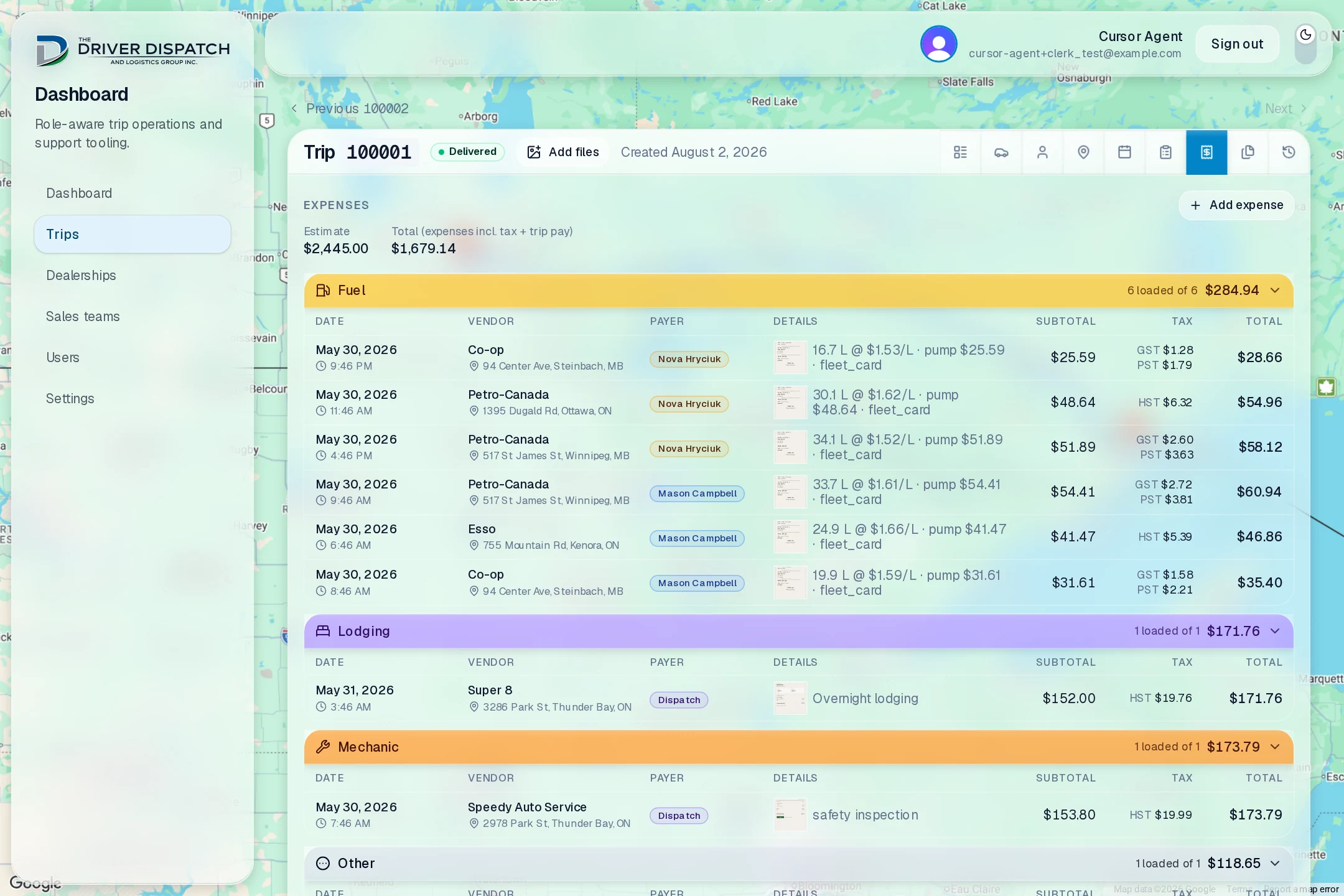
At a fuel stop, the driver can upload a receipt directly to the trip. OpenAI extraction turns the visible details into an editable expense proposal, including fuel quantities, amounts, and taxes when they are present on the slip.
The original stays alongside the fields for human verification. The person reviewing it can correct a value before saving; the model’s output does not silently become a financial record. The same workflow remains available for expenses on the return journey.
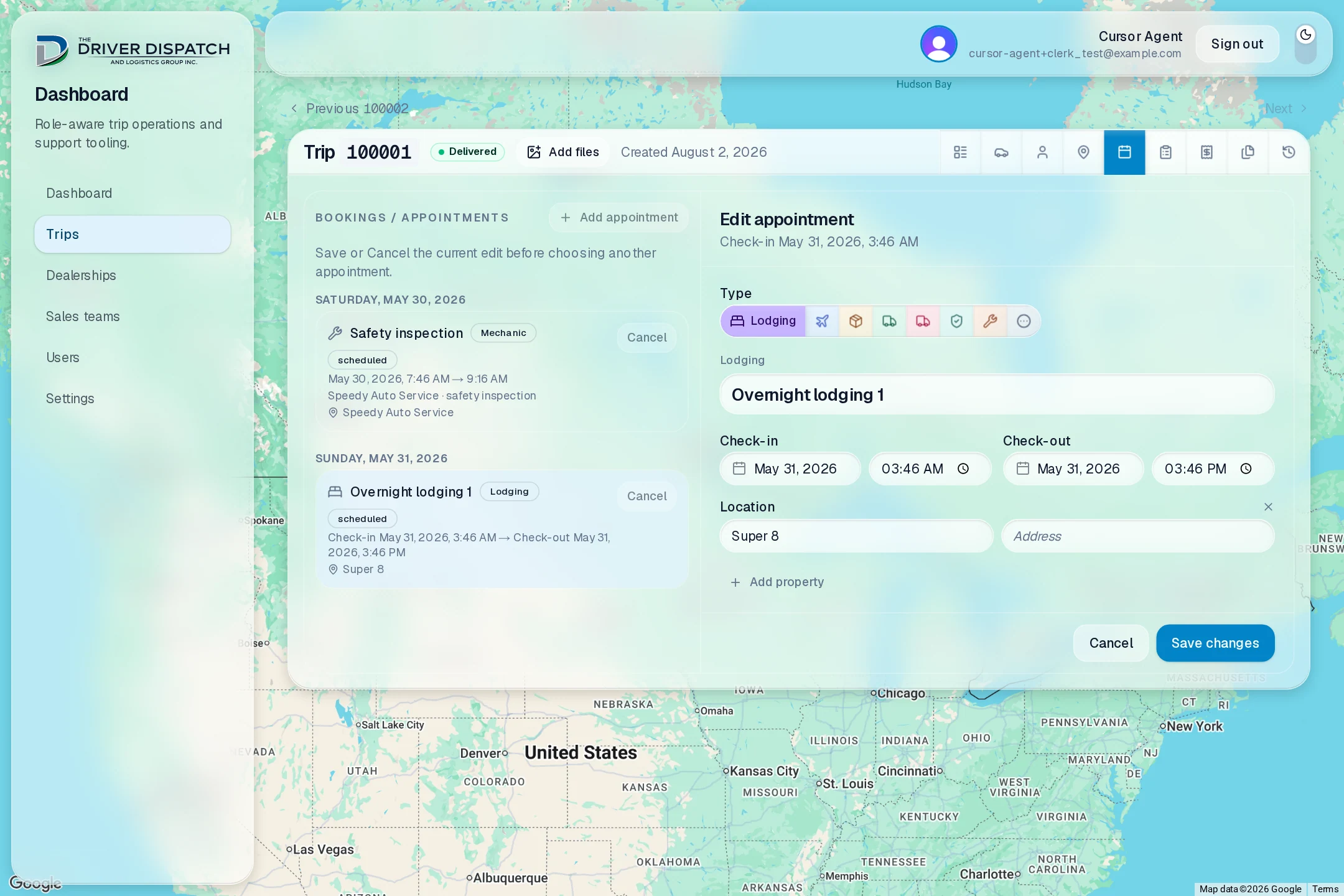
Turn a booking confirmation into a usable itinerary
Hotels and flights are booked separately, then their confirmations can be imported into appointment and expense drafts. Once reviewed and saved, the driver has the time and location in the trip itinerary, while dispatch has the associated cost in the expense record.
Tentative plans and confirmed bookings are treated differently. Rescheduling a pickup can move linked tentative dates without silently changing a flight or hotel that has already been booked.
Reach the invoice with the records already together
Fuel, lodging, flights, and other costs accumulate under the trip instead of arriving as one large email attachment batch. Dispatch can review expenses by category, check taxes and originals, and see driver pay and reimbursements alongside the totals.
That provides the organized costs and supporting records for invoice preparation. The quoted estimate stays separate from actual expenses, so the original price is not rewritten as costs come in.
What mattered in the implementation
- Live data without losing edits
- Live subscriptions update saved records, while unsaved edits stay with their workflow. Revision checks reject conflicting saves instead of letting one dispatcher unknowingly overwrite another’s work.
- Uploads keep their owner
- An asynchronous receipt upload remains attached to the expense where it started, even if the user switches tabs or opens another expense before it finishes.
- Quotes have a history
- Immutable estimate and rate revisions preserve the assumptions behind a quote. Route geometry is separate from pricing, so changing a rate does not require requesting the same route again.
- Roles are enforced in the backend
- Access follows the person’s role and trip membership. A driver’s view excludes company charges; domain changes, activity history, and aggregate updates are committed together in Convex.
Built end to end; now in operational testing
The portal reached a usable state in September 2026. It is undergoing operational testing with the business before becoming the primary system for dispatch.